
The 10 web design trends of 2025 you won't want to miss

Web design is constantly evolving to adapt to new user expectations and technological advances. In 2025, trends are moving towards greater interactivity, personalization and performance. Discover the 10 essential trends to follow for a modern, effective site. 1. Dark mode by default Dark mode has become a standard in web design. More and more sites are offering a default dark mode, or the option of switching between light and dark modes to enhance users' visual comfort. 2. Artificial intelligence at the service of design Tools based on generative AI can be used to create personalized interfaces, optimize the user experience and automate tasks such as creating visual content or analyzing visitor behavior. 3. Minimalist, immersive design In 2025, websites will favor uncluttered, immersive interfaces, with well-used white space, smooth animations and a clear visual hierarchy to facilitate navigation. 4. Micro-interactions and dynamic animations Hover effects, fluid transitions and micro-interactions add dynamism and improve visitor engagement. These animations should be subtle to avoid slowing down the site. 5. Digital accessibility at the heart of priorities Optimization for people with disabilities is becoming essential. Websites incorporate improved contrasts, keyboard navigation and screen reading to guarantee better accessibility for all. 6. Bold typographic fonts Customized and original fonts are taking over from classic typography. In 2025, brands are opting for expressive fonts to stand out from the crowd, while ensuring optimal legibility on mobile and desktop. 7. Ultra-fast websites Loading speed is more important than ever. Developers rely on technologies such as lazy loading, WebP for images and code optimization to ensure maximum performance. 8. Mobile-first design With the predominance of smartphones, sites are now designed primarily for mobile, with adapted interfaces, simplified menus and fluid navigation. 9. Authenticity and hand-crafted visuals Gone are the classic image banks! In 2025, companies are opting for personalized illustrations, authentic videos and customized animations for a unique visual identity. 10. Integration of Web3 and immersive experiences Web3, augmented reality (AR) and virtual reality (VR) are beginning to be integrated into web design to offer more immersive experiences, particularly in e-commerce and virtual tourism. Conclusion: Innovative, high-performance web design in 2025 Web design trends in 2025 will focus on accessibility, speed, immersion and artificial intelligence. For a modern, effective website, it's essential to integrate these developments now. Want to modernize your website? Contact Webiphi for a redesign based on the latest trends!
The importance of IT maintenance in preventing cyber-attacks
IT maintenance is essential to protect businesses against cyber-attacks, which are on the increase and increasingly targeting SMEs and companies in Belgium. A poorly maintained IT system is an open door to malware, ransomware and data theft, jeopardizing the confidentiality of sensitive information and business continuity. A single security flaw can lead to significant financial losses, damage to a company's reputation and result in legal penalties for non-compliance with regulations. IT maintenance plays a key role in preventing cyber-attacks by ensuring optimum protection against digital threats. It includes regular software updates, system monitoring, firewall and antivirus management, as well as employee training in good cybersecurity practices. Rigorous monitoring enables vulnerabilities to be identified and corrected before they are exploited by cybercriminals. Find out why IT maintenance is essential to securing your business and guaranteeing a reliable, high-performance infrastructure in the face of new threats. 1. Why are companies vulnerable to cyber attacks? Cybercriminals target poorly protected businessesHackers exploit security loopholes, often due to outdated software, insecure configurations or a lack of updates. A cyber attack can be costlyA hack can result in data loss, service disruption and high recovery costs. Not to mention damage to the company's reputation. Telecommuting and remote access increase risksInsecure connections and personal devices used for work are easy targets for cybercriminals. 2. Key elements of good IT maintenance Regular software and system updatesAn up-to-date system is less vulnerable to attack. IT maintenance includes the application of security patches to close the loopholes exploited by hackers. Installing and updating antivirus and firewall softwareSolutions like Bitdefender offer advanced protection against malware, ransomware and intrusions. A well-configured firewall blocks suspicious connections. Frequent data backupsAn effective backup plan means that files can be restored quickly in the event of a cyber-attack. A combination of local and cloud backups is ideal. Secure access and password managementThe use of multi-factor authentication (MFA) and a password manager reduces the risk of identity theft. Security monitoring and auditingOngoing monitoring detects suspicious activity before it causes damage. Regular audits help identify and correct security flaws. 3. Concrete benefits of proactive IT maintenance Prevention of cyber-attacks: Reduced risk of hacking and data leakage. Reduced downtime: A well-maintained infrastructure works better and avoids unplanned interruptions. Compliance with security standards: Compliance with RGPD and data protection legal obligations. Improved productivity: A fast, secure system improves employee efficiency. 4. Why outsource IT maintenance? Expertise and responsiveness: A specialized agency offers advanced protection and rapid response to incidents. Save time and resources: No need for an in-house IT team, which reduces costs. 24/7 monitoring: Outsourced maintenance ensures continuous protection against threats. Conclusion: Protect your business now IT maintenance is a must for any company wishing to prevent cyber-attacks and secure its systems. Don't leave your business vulnerable! Contact Webiphi for a maintenance solution tailored to your needs and protect your data effectively.
Web hosting in Belgium: which one to choose for optimum loading times?
The choice of web hosting has a direct impact on a site's loading speed, user experience and even its SEO ranking. A fast site reduces bounce rate, improves conversion and ranks higher on Google. In this article, we explain how to choose the best web hosting in Belgium to guarantee optimal performance. 1. Why is loading speed crucial? A fast site improves the user experienceA site that loads in less than 2 seconds significantly reduces the bounce rate and increases the conversion rate. An impact on SEOGoogle favors fast sites in its rankings, especially for mobile searches. More sales and leadsOptimized loading time means less shopping cart abandonment and more customer engagement. 2. Criteria for choosing high-performance web hosting in Belgium 1. Type of hosting There are several types of hosting, each with an impact on your site's speed: 2. Server location A hosting provider with data centers in Belgium or Europe reduces latency and improves site speed. 3. Technologies used Opt for a hosting company that offers: 4. Availability and support A good hosting company guarantees an uptime rate of 99.9 % and responsive technical support in the event of a problem. 3. Comparison of the best web hosting providers in Belgium Here are some recommended web hosting providers in Belgium for optimum loading times: Hosting provider Type Forces Ideal for Combell Shared, VPS, dedicated Support in Belgium, reliable performance SMEs, e-commerce OVHcloud VPS, cloud, dedicated Servers in Europe, good prices Startups, high-traffic sites Infomaniak Shared, cloud Eco-responsible, based in Europe Committed sites and SMEs SiteGround Shared, cloud Very fast, optimized WordPress Blogs, showcase sites 4. Optimize site speed after choosing hosting Even with a good hosting provider, here are a few tips for optimizing your site: Enable caching to reduce loading timeUse a CDN for faster content deliveryOptimize images by compressing them (WebP format recommended)Minimize CSS and JavaScript code to lighten the siteMonitor performance with Google PageSpeed Insights or GTmetrix Conclusion: Which web hosting provider should you choose in Belgium? The choice of hosting depends on your company's needs: Need high-performance hosting for your site in Belgium? Contact Webiphi, your expert web agency for digital solutions tailored to your business!
How to install an SSL certificate to secure your website

With the increase in cyber-attacks and the tightening of security standards on the Internet, installing an SSL certificate has become essential for securing a website. An SSL-protected site guarantees the encryption of data exchanged between the browser and the server, protecting users' sensitive information. Find out how to install an SSL certificate, the different options available and why it's essential for your SEO and the trust of your visitors. 1. What is an SSL certificate and why is it important? What is SSL? SSL (Secure Sockets Layer) is an encryption protocol that ensures the secure transmission of data between the user and the website. When a site has an SSL certificate, it displays a green padlock in the address bar and switches to HTTPS. Why install an SSL certificate? 2. The different types of SSL certificate There are several types of SSL certificate to suit different business needs: DV (Domain Validation) SSL certificate : OV SSL Certificate (Organization Validation) : EV (Extended Validation) SSL Certificate: 3. How do you install an SSL certificate on your website? Installation varies according to your hosting provider, but here are the general steps: Step 1: Check whether your hosting provider offers free SSL Some hosting providers like OVH, SiteGround or Bluehost offer a free SSL certificate (Let's Encrypt). Check whether this option is activated in your customer area. Step 2: Buy an SSL certificate if required If you need an OV or EV certificate, buy one from certification authorities such as Sectigo, DigiCert, GlobalSign or Let's Encrypt (for free). Step 3: Install the SSL certificate Step 4: Configure your site for HTTPS 4. Check that your SSL certificate is installed Once installed, test your site with :SSL CheckerWhy No Padlock You should see a green padlock and no security alert on your browser. 5. SEO and UX benefits of an HTTPS site Improved referencing: Google boosts secure HTTPS sitesBetter conversion: Visitors are more confident and buy more easilyMore reliable analysis: Google Analytics tracks HTTPS data better Secure your site today! An SSL certificate is essential for the security and performance of your website. Need help with installation and configuration? Trust Webiphi, your web solutions expert in Belgium, for fast, secure integration!
WordPress website design in Brussels: why it's a safe bet
In an ever-changing digital world, creating a professional website is essential for any Brussels-based company wishing to strengthen its online presence. WordPress, used by over 40 % websites worldwide, is a must-have solution thanks to its flexibility, ease of use and SEO performance. Find out why choosing WordPress for your Brussels website is a strategic choice, and how it can benefit your business. 1. Why choose WordPress for your Brussels website? 🌍 WordPress dominates the CMS market:With its worldwide popularity, WordPress is regularly updated and benefits from a vast community of experts, guaranteeing security and innovation. 🎯 A tool suited to SMEs and large corporations :Whether you're a startup, SME or Brussels-based company, WordPress offers a scalable solution to adapt to your needs. 🔧 Easy, intuitive management:No need to be a programming expert! Thanks to a user-friendly interface, managing content, images and updates is accessible to everyone. 2. The benefits of a WordPress site for your business 📌 Flexibility and customization 📌 Native SEO optimizationWordPress integrates powerful SEO features, including plugins like Rank Math and Yoast SEO, to improve your site's SEO and appearance in Google search results. 📌 Enhanced security 📌 A responsive, fast siteWith mobile optimization and optimal loading performance, your WordPress site adapts perfectly to different screens and enhances the user experience. 3. Why entrust your WordPress site to a web agency in Brussels? 💼 Tailor-made supportHiring a specialized agency guarantees you a personalized, well-designed, SEO-optimized site. 📊 A high-performance, scalable siteA web agency ensures the integration of best practices to guarantee a fast, secure and scalable site. 🛠️ Maintenance and technical supportTake advantage of professional support to avoid bugs and keep your site up to date with the latest trends. 4. Key steps to creating a successful WordPress site 1️⃣ Define your goals and audience2️⃣ Choose a design to suit your marque3️⃣ Optimize structure and SEO SEO4️⃣ Integrate essential features (blog, e-commerce, contact form, etc.)5️⃣ Secure and optimize site performance 5. Boost your online visibility with WordPress! Why is WordPress the best solution for your Brussels-based business?✅ Ease of management✅ Built-in SEO optimization✅ Enhanced security✅ Flexibility and scalability 📢 Want a high-performance, optimized WordPress site? Trust Webiphi, your web agency in Brussels, to create a site tailored to your needs!
How to automate your mailing campaigns to boost conversions
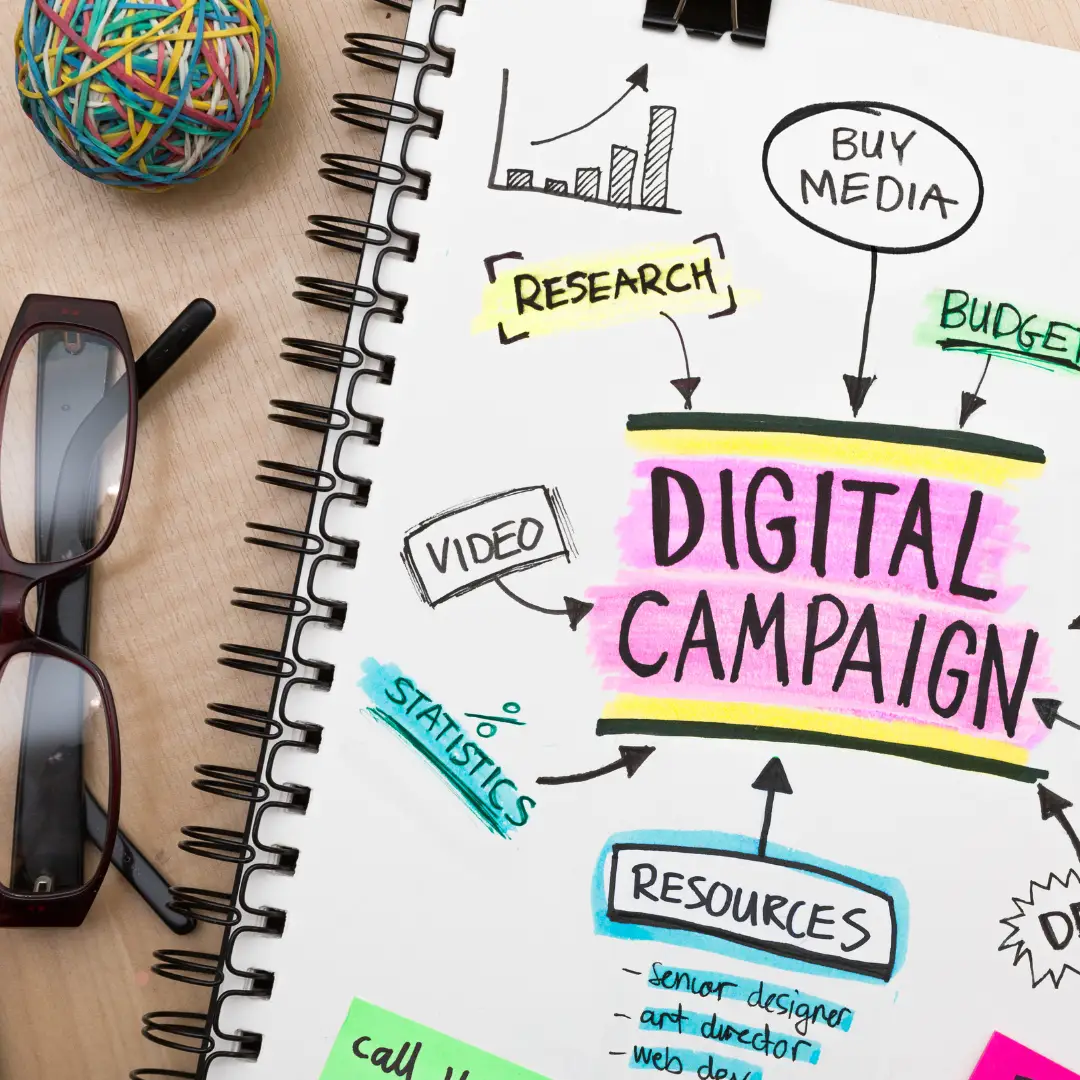
Campaign mailing remains one of the most effective tools for converting prospects and building customer loyalty. However, sending emails manually can be time-consuming and inefficient. Automating email campaigns allows you to send the right message, at the right time, without manual intervention. In this article, find out how to automate your mailing campaigns, which tools to use and how to maximize your conversions in Belgium. 1. Why automate your emailing campaigns? 🚀 The benefits of automation:✅ Time-saving: no need to send each email individually✅ Better personalization: contact segmentation and tailored messages✅ Increased conversions: strategic emails sent at the right times✅ Precise tracking and analysis: ongoing optimization thanks to KPIs Example: A restaurant in Belgium can automate emails to follow up a customer after their last reservation or offer them a special birthday deal. 2. Which emails to automate to improve your conversions? 📌 The most effective campaigns: 1. Welcome emails 💡 A welcome email after a sign-up boosts the engagement of new subscribers. 2. Abandoned basket relaunches 🛒 70% of baskets are abandoned in e-commerce! A follow-up email with an exclusive offer can recover these lost sales. 3. Post-purchase follow-up emails ✅ A confirmation message + a request for customer feedback increases customer loyalty. 4. Newsletters and personalized offers 🎯 Segment your audience to send offers tailored to customer preferences. 5. Inactive customer relaunches 📩 An email with a special offer reactivates dormant customers. 3. Which tools should you use to automate your mailing campaigns? 📢 The best solutions in Belgium: 💻 Mailchimp: ideal for SMEs, with simple automations💻 SendinBlue: advanced email and SMS marketing management💻 ActiveCampaign: powerful for segmentation and automation💻 HubSpot: excellent for a complete inbound strategy 🔎 Choice criteria: 4. How can you optimize your automated emails for more conversions? 📌 Best practices for maximizing the impact of your emails: ✔️ Advanced personalization: Use the recipient's first name and tailor the offer according to their behavior.✔️ Strategic timing: Send your emails at peak opening times (morning or afternoon).✔️ Clear calls to action (CTA): Encourage purchase or booking with visible buttons.✔️ A/B Testing: Test different subject lines and content to improve open and click rates.✔️ Mobile optimization: 60% of emails are read on smartphones, adapt your design! 5. Email automation: A powerful lever for your business 💡 Summary of key points:✅ Automate your emails to save time and improve conversions✅ Segment your audience to send personalized messages✅ Use the right tools like Mailchimp, SendinBlue or ActiveCampaign✅ Track and optimize your campaigns thanks to performance indicators 📢 Want tailor-made support for your emailing strategy? Contact Webiphi, your digital marketing expert in Belgium, to set up high-performance, automated campaigns!
Business email security: how to avoid phishing and spam
Business emails are a prime target for cybercriminals. Phishing, spam, malware attacks - the threats are numerous and can compromise your company's security. In Belgium, SMEs are increasingly exposed to attacks aimed at stealing sensitive information or infecting systems. To avoid these risks, it's essential to adopt good cybersecurity practices and use effective solutions to protect your communications. In this article, find out how to secure your business emails and avoid phishing and spam attacks. 1. What is phishing and why is it dangerous? Phishing is a fraud technique that consists in deceiving the user by sending a fraudulent email resembling an official message (bank, supplier, customer, etc.). 📌 Hackers' objective:✅ Steal logins and passwords✅ Recover bank data✅ Install malware or ransomware✅ Impersonate a company 💡 Case in point: An employee receives an email claiming to be from his banker asking him to confirm his logins. By clicking on the link and entering his details, he allows hackers access to the company's account. 🚨 Consequences for a company: 2. How to recognize a fraudulent email? 🔎 Signs of a phishing email:🚩 Suspicious sender: email address slightly different from the official one🚩 Spelling and grammatical errors: typical of fraudulent emails🚩 Urgency or threat: "Your account will be suspended in 24 hours"🚩 Suspicious link: Shortened or strange URL (mouse over to see real destination)🚩 Dubious attachment: ZIP file, EXE, PDF requesting activation of macros ✅ Good reflex: Never click on a dubious link or attachment without checking the authenticity of the email. 3. How to protect your business emails? 1. Use an anti-phishing and anti-spam filter Professional solutions like Bitdefender GravityZone Email Security can analyze and block fraudulent e-mails before they reach your inbox. 2. Enable multi-factor authentication (2FA) Add double security with a temporary code sent to your phone to prevent credentials theft. 3. Implement email security protocols 📌 DKIM, SPF and DMARC validate the authenticity of sent emails and prevent identity theft. 4. Raise your employees' awareness 🚀 Organize cybersecurity training to learn how to detect and avoid threats. 5. Use a secure SMTP server 💡 Opt for a professional SMTP server with TLS encryption to guarantee the confidentiality of emails sent. 4. Email security: what to do in the event of a phishing attempt? If you receive a suspicious email: ✅ Don't click on any links or open any attachments✅ Report the email to your IT department or IT provider✅ Delete the fraudulent email immediately✅ Change your passwords if you've clicked on a suspicious link 💡 Tip: Use a password manager to store and protect your credentials securely. 5. Conclusion: Protect your business against phishing and spam 📌 Summary of best practices:✔️ Activate an anti-phishing and anti-spam filter on your professionnels✔️ emails Raise your employees' awareness of the threats cybernétiques✔️ Always check the identity of senders before clicking on a lien✔️ Secure your email server with DKIM, SPF and DMARC✔️ protocols Opt for an encrypted SMTP server and a suitable antivirus solution 🚀 Need a complete solution to secure your business emails? Contact Webiphi, your cybersecurity expert in Belgium, and protect your business against cyberattacks!
Personalizing the user experience: an essential trend for boosting sales

In the digital age, consumers expect tailor-made experiences adapted to their needs and preferences. Personalizing the user experience (UX) has become an essential lever for optimizing customer engagement, building loyalty and increasing sales. In this article, we'll look at why personalization is a must-have trend, and how to effectively integrate it into your website and digital strategy. 1. Why is personalization essential for your business? Internet users are increasingly demanding and looking for relevant interactions. A generic, standardized approach is no longer enough to capture their attention. 🎯 Some key figures:✅ 80 % of consumers are more inclined to buy from a company that offers a personalized experience.✅ 74 % of customers feel frustrated when a site doesn't offer content tailored to their preferences.✅ 93 % of companies that have invested in personalization see an increase in revenue. 💡 Example: an e-commerce site that recommends products based on previous purchases can increase its conversion rate by 20 %. 2. What are the benefits of personalization for your business? 🔹 Increased conversions: a site that displays content tailored to the user's interests encourages more purchases.🔹 Better customer loyalty: users return more often when they find relevant, personalized content.🔹 Improved user experience: fluid navigation, relevant recommendations and more engaging interactions.🔹 Reduced bounce rate: tailored content encourages visitors to explore your site further. 📌 Real-life example: an online restaurant can offer a customized menu based on the customer's dietary preferences (vegetarian, gluten-free, etc.), improving user experience and loyalty. 3. How to personalize the user experience There are several techniques for tailoring the user experience to each visitor: 1. User segmentation Divide your visitors into groups according to their behavior, preferences or purchasing history. This allows you to tailor content and offers to each segment. 2. Intelligent recommendations AI algorithms display products or services based on the user's previous interactions. 💡 Example: an e-commerce site can suggest items based on the last products viewed. 3. Personalized emails and notifications Send offers and promotions tailored to each customer's specific interests. 📌 Example: A hotel booking site can send an email with an exclusive promotion on destinations already searched by the user. 4. Real-time personalization Adapt site content according to the user's location, weather or live behavior. 💡 Example: A fashion site can display clothes adapted to the current season based on the visitor's location. 5. Chatbots and intelligent virtual assistants A personalized chatbot can answer customers' questions based on their history and preferences. 4. Tools to implement UX personalization 🚀 The best solutions to optimize your user experience: 🔹 Google Optimize - Test different versions of your site to see what works best.🔹 HubSpot - Customer segmentation and marketing campaign personalization.🔹 Dynamic Yield - AI-based user experience optimization platform.🔹 Mailchimp & ActiveCampaign - Email campaign personalization tools. 💡 At Webiphi, we help you integrate these tools to deliver an optimal user experience and boost your sales. 5. Conclusion: Personalization, a must-have to boost your sales 📌 Summary of key points:✔️ UX personalization improves customer engagement and loyalty.✔️ A site that adapts to users' needs increases its conversions.✔️ AI and marketing tools optimize the user experience in real time. 🚀 Need a high-performance, personalized website? Contact Webiphi today to transform your company's user experience and boost your sales!
Enterprise Antivirus: Comparison of the most effective solutions

Cybersecurity is a top priority for companies in Belgium and the Benelux countries. With cyber-attacks on the increase, it's vital to install a high-performance antivirus to protect your sensitive data, servers and workstations. But which of the many antivirus solutions available on the market should you choose? This comparison will help you find the antivirus best suited to your company's needs and budget. 1. Why is antivirus protection essential for your business? Cyber threats are becoming increasingly sophisticated. Here are the main reasons to install a professional antivirus: ✅ Protection against viruses, ransomware and malware✅ Securing customer and internal data✅ Preventing phishing and spyware attacks✅ Compliance with RGPD and Belgian regulations✅ Reducing the financial risks associated with cyberattacks 💡 Example: In 2024, several Belgian SMEs suffered ransomware attacks, resulting in critical data loss and business interruptions lasting several days. A robust antivirus could have prevented these attacks. 2. Criteria for choosing a professional antivirus solution Before opting for an antivirus solution, it's essential to evaluate several criteria: 🔹 Level of protection: real-time scanning, integrated firewall, ransomware protection.🔹 Impact on performance: A good antivirus must be effective without slowing down workstations.🔹 Ease of management: Intuitive interface, centralized dashboard.🔹 Compatibility: Suitable for Windows, Mac, servers and mobile terminals.🔹 Technical support: Fast, efficient assistance in the event of problems. 3. Comparison of the best antivirus solutions for businesses Here's a selection of the best-performing antivirus solutions for SMEs and large companies:1. Bitdefender GravityZone Business Security (⭐ Recommended) ✔️ Advantages:❌ Disadvantages:💰 Price: Flexible subscription depending on the number of devices. 🎯 Ideal for: SMEs and large enterprises looking for a reliable, high-performance solution. 2. Kaspersky Endpoint Security for Business ✔️ Advantages: ❌ Disadvantages: 💰 Tariff: Annual subscription based on number of users. 🎯 Ideal for: Companies looking for an antivirus recognized for its proactive protection. 3. ESET PROTECT Advanced ✔️ Advantages: ❌ Disadvantages: 💰 Tariff: Modular formula depending on needs. 🎯 Ideal for: SMEs looking for an efficient, lightweight solution. 4. Norton Small Business ✔️ Advantages: ❌ Disadvantages: 💰 Tariff: Monthly or annual subscription. 🎯 Ideal for: Small businesses with few devices to protect. 4. Why choose Bitdefender for your business in Belgium? Among the solutions compared, Bitdefender GravityZone Business Security stands out for its excellent protection and optimized performance. It offers: 🔹 Advanced real-time threat detection.🔹 Centralized management to protect all your devices.🔹 Low resource consumption, ideal for SMEs.🔹 Excellent value for money with responsive technical support. 💡 Webiphi is a Bitdefender partner and offers solutions tailored to Belgian companies to ensure maximum protection for their infrastructures. 5. Conclusion: Which antivirus should you choose for your business? The choice of antivirus depends on the size of your business, your cybersecurity needs and your budget. 📌 Comparison summary:✔️ Bitdefender GravityZone 🏆 → Best choice for SMEs and large companies.✔️ Kaspersky Endpoint Security → Advanced protection but more resource-hungry.✔️ ESET PROTECT Advanced → Lightweight, high-performance solution.✔️ Norton Small Business → Simple and effective for small structures. 🚀 Protect your business today! Contact Webiphi for an antivirus solution tailored to your needs and enjoy personalized support.
The ultimate guide to migrating your server without losing data

Server migration is a crucial step for any company seeking to improve performance, enhance security or adopt a more modern infrastructure. However, poorly executed, it can lead to data loss, service interruptions and unforeseen costs. In this guide, we explain how to make your server migration a risk-free success, following a proven methodology. 1. Why migrate a server? A server migration may be necessary for several reasons: ✅ Performance improvement: A faster, more powerful server.✅ Enhanced security: Updating protocols and protecting data.✅ Scalability: Ability to adapt to growing business needs.✅ Cost reduction: Switching to a cloud or more optimized infrastructure. 💡 Example: a Belgian SME with a growing e-commerce site may opt for a dedicated server or a more flexible cloud solution to handle increasing traffic. 2. The risks of a poorly prepared migration Without rigorous preparation, server migration can result in: ❌ Data loss due to backup errors.❌ Prolonged downtime, affecting productivity.❌ Software incompatibilities with the new infrastructure.❌ Security problems if configurations are not optimized. 🎯 Objective: Anticipate these risks with detailed planning. 3. Key steps to migrate a server without data loss 1. Migration analysis and planning Before any migration, it's essential to:🔹 Audit the existing server (applications, databases, configurations).🔹 Define migration objectives (performance, cost, security).🔹 Draw up a detailed plan with a checklist and timetable. 2. Perform a full data backup 🚨 Backup is a critical step! Before migrating, make sure you have:✔️ A complete copy of files and databases on external storage.✔️ An automatic, tested backup to check that it can be restored in the event of a problem.✔️ An incremental backup solution to avoid any loss. 💡 Good to know: Using tools such as Veeam, Acronis or cloud snapshots ensures a secure migration. 3. Prepare the new server Before transferring data, check that the new server is ready:🔹 Install the necessary software and configurations.🔹 Test versions and compatibilities.🔹 Secure with a firewall and antivirus (e.g. Bitdefender for SMBs). 4. Transfer data securely Recommended methods for uninterrupted transfer:✔️ Parallel migration: Install the new server before shutting down the old one.✔️ Synchronization tools such as rsync, SCP, secure FTP or cloud solutions.✔️ Gradual DNS change to avoid downtime. 5. Test and validate the migration After the transfer, carry out a series of tests:🔹 Verification of file and database integrity.🔹 Performance and security tests.🔹 Validation of connections to services and applications. 4. Should I outsource my server migration? Calling in server migration experts helps to:🔹 Reduce the risk of data loss.🔹 Optimize the security and configuration of the new server.🔹 Save time and limit interruptions. 📌 Webiphi solution: our IT experts support you in your server migration with tailor-made solutions for SMEs in Belgium and the Benelux. Conclusion : A well-prepared migration for a high-performance, secure server A successful server migration relies on good planning, rigorous backup and controlled execution. 🚀 Summary of the essential steps:✔️ Audit and planning of the migration.✔️ Complete and tested data backup.✔️ Preparation and securing of the new server.✔️ Secure transfer without interruption.✔️ Tests and validation before going live. 🔥 Need support to migrate your server safely? Contact Webiphi today and secure your transition to a higher-performance infrastructure!

